> ## Documentation Index
> Fetch the complete documentation index at: https://docs.tensor9.com/llms.txt
> Use this file to discover all available pages before exploring further.
# Connectivity
> Network paths between vendor, customer, and appliance
A Tensor9 deployment has four distinct network links with configurable paths. Each one carries a different kind of traffic, has different defaults, and exposes different options. This page covers them in one place so you can reason about them together.
| Link | Direction | Used for |
| --------------------------------------------------------- | ------------------------------------------------------- | ------------------------------------------------ |
| [Application ingress](#application-ingress) | Customer's users to the deployed app | End-user traffic |
| [Operator to control plane](#operator-to-control-plane) | Your CLI/IaC tooling to your vendor control plane | Day-to-day operations and deploys |
| [Appliance to control plane](#appliance-to-control-plane) | Customer's appliance to your vendor control plane | Deploy instructions and secure remote management |
| [Break-glass access](#break-glass-emergency-access) | Emergency operator access into the customer environment | Time-limited elevated support access |
The first three are normal day-to-day links. The last is reserved for exceptional situations.
## Application ingress
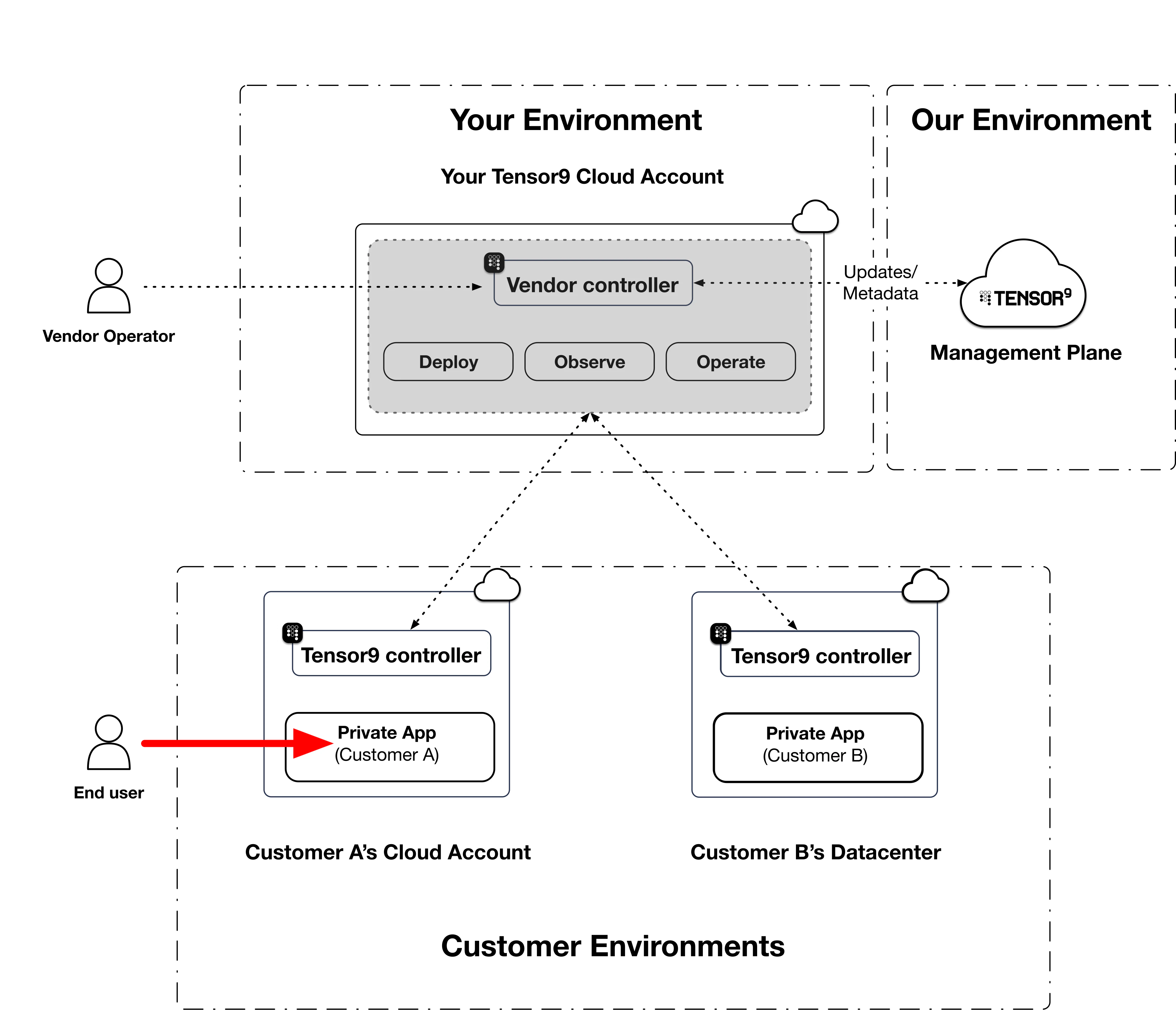
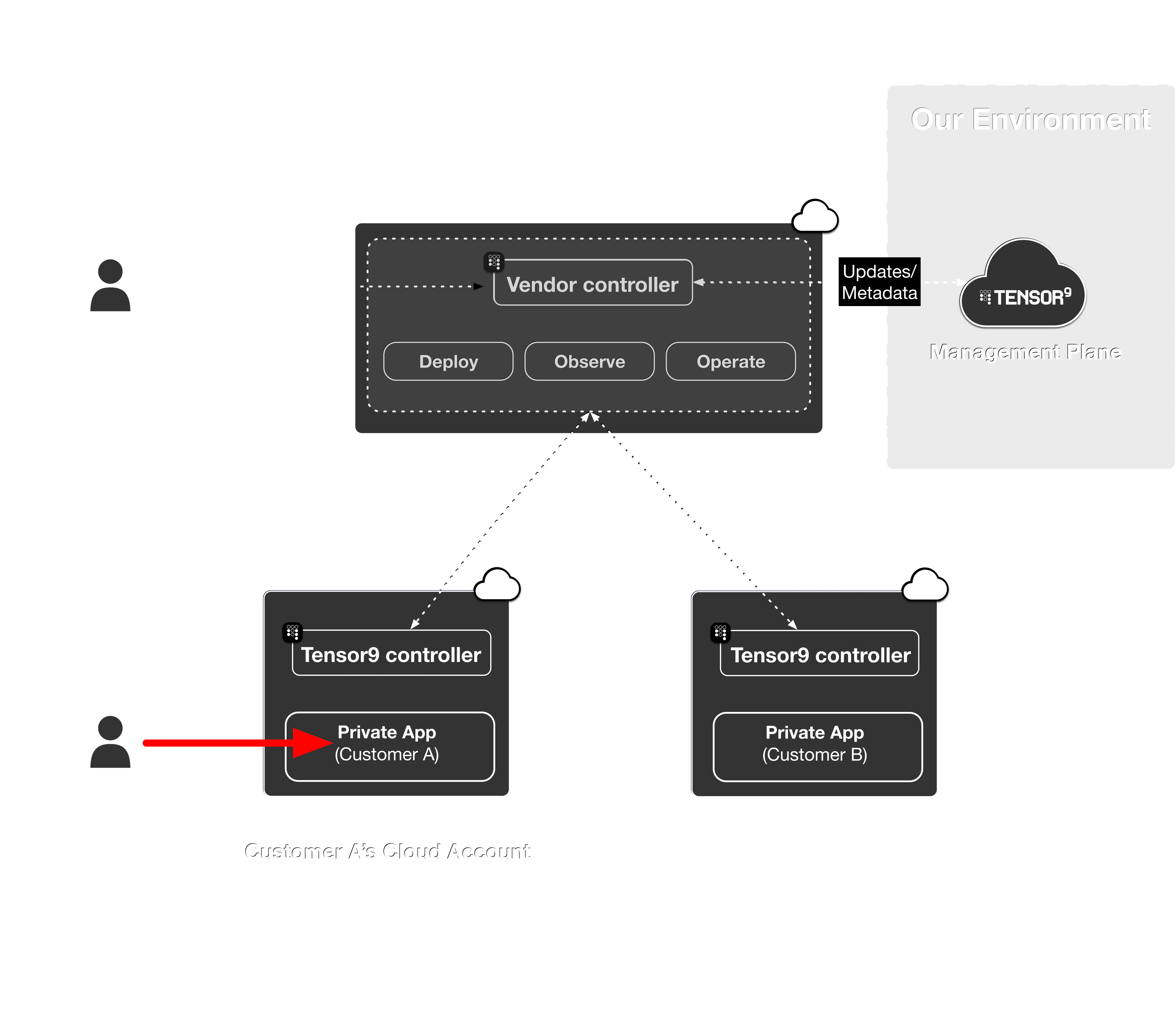 Once your application is deployed into a customer appliance, your users reach it over whichever ingress path your [origin stack](/fundamentals/origin-stacks) defines: a public load balancer, a private path, a Tailscale-attached endpoint, or anything else expressible in your IaC.
By default, Tensor9 does not modify this link. The shape of customer-facing ingress is determined primarily by your application's IaC and the customer's environment.
However, your customer may prefer a narrower scope of access. The customer-facing options Tensor9 surfaces are summarized on the [Private ingress](/customer/configuration/private-ingress) page.
## Operator to control plane
Once your application is deployed into a customer appliance, your users reach it over whichever ingress path your [origin stack](/fundamentals/origin-stacks) defines: a public load balancer, a private path, a Tailscale-attached endpoint, or anything else expressible in your IaC.
By default, Tensor9 does not modify this link. The shape of customer-facing ingress is determined primarily by your application's IaC and the customer's environment.
However, your customer may prefer a narrower scope of access. The customer-facing options Tensor9 surfaces are summarized on the [Private ingress](/customer/configuration/private-ingress) page.
## Operator to control plane
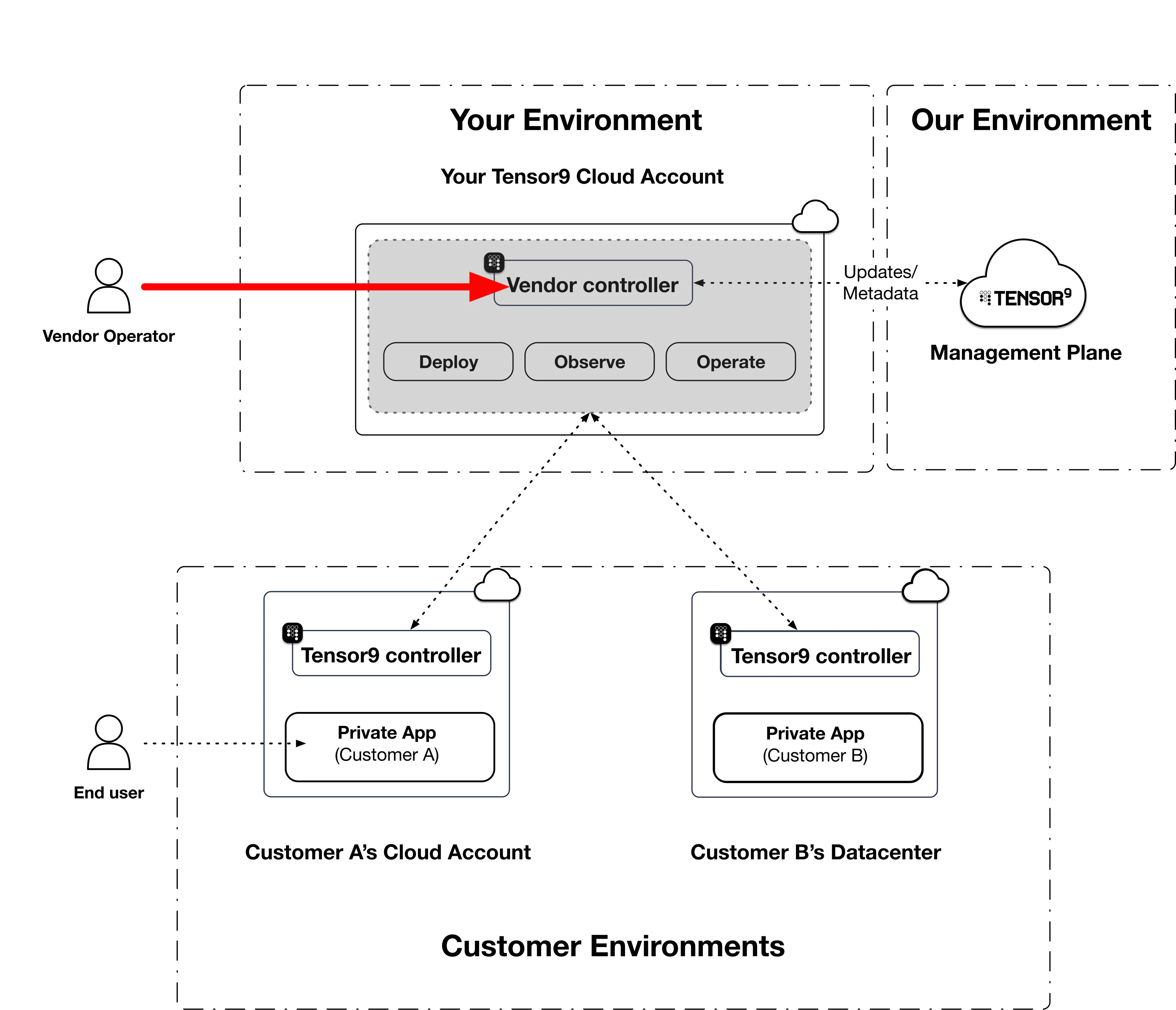
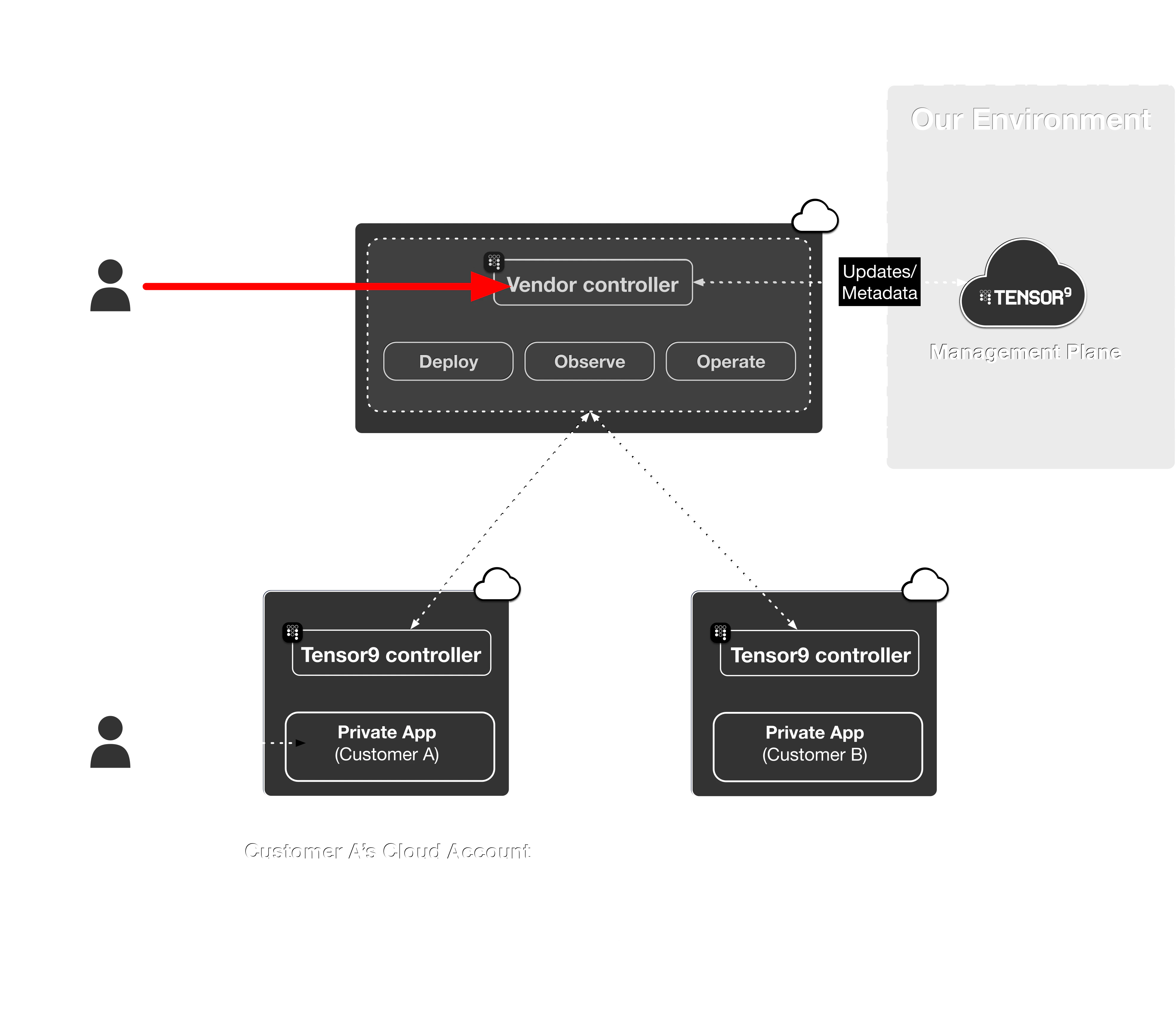 When you run `tensor9` commands, or when an [origin-stack deploy](/fundamentals/deployments) executes its `plan` and `apply` against an appliance, your CLI talks to your [vendor control plane](/fundamentals/control-plane). The control plane's network surface exposes a small set of mutually-authenticated listeners for this traffic.
### Default: public load balancer with mTLS
By default, the control plane's listeners are reachable over the public internet via a network load balancer. Every connection is mutually-TLS authenticated using operator certificates that Tensor9 issues during enrollment. No public access is granted; the listener accepts only certificate-presenting clients on the operator allowlist.
### Optional: route operator traffic over Tailscale
If you operate a [Tailscale](https://tailscale.com) tailnet for your engineering team, you can have your vendor control plane join that tailnet and expose the same operator listeners over it. Once joined, your operators can reach the control plane at its tailnet hostname without leaving Tailscale.
A step-by-step guide to onboarding is provided in [Common Workflows](/cli/common-workflows#onboard-your-vendor-controller-to-tailscale).
### Optional: remove the public path
After your operator tooling is reliably reaching the control plane over Tailscale, you can remove the public-internet path for the operator-side listeners: `CLI`, `Terraform`, and `Appliance` services. Each service is gated individually so you can roll out the change in stages. See our step-by-step guide to onboarding in [Common Workflows](/cli/common-workflows#onboard-your-vendor-controller-to-tailscale) for more details on this process.
Enforcing tunnel-only for the appliance-facing listener (the `Appliances` group, which carries the appliance-to-control-plane link below) requires extra care. The command refuses to enforce that listener if customer appliances or appliance-setup links are still using a non-tunnel path, or if AWS PrivateLink is active for the appliance link. See the [Appliance to control plane](#appliance-to-control-plane) section for the relationship between the two.
## Appliance to control plane
When you run `tensor9` commands, or when an [origin-stack deploy](/fundamentals/deployments) executes its `plan` and `apply` against an appliance, your CLI talks to your [vendor control plane](/fundamentals/control-plane). The control plane's network surface exposes a small set of mutually-authenticated listeners for this traffic.
### Default: public load balancer with mTLS
By default, the control plane's listeners are reachable over the public internet via a network load balancer. Every connection is mutually-TLS authenticated using operator certificates that Tensor9 issues during enrollment. No public access is granted; the listener accepts only certificate-presenting clients on the operator allowlist.
### Optional: route operator traffic over Tailscale
If you operate a [Tailscale](https://tailscale.com) tailnet for your engineering team, you can have your vendor control plane join that tailnet and expose the same operator listeners over it. Once joined, your operators can reach the control plane at its tailnet hostname without leaving Tailscale.
A step-by-step guide to onboarding is provided in [Common Workflows](/cli/common-workflows#onboard-your-vendor-controller-to-tailscale).
### Optional: remove the public path
After your operator tooling is reliably reaching the control plane over Tailscale, you can remove the public-internet path for the operator-side listeners: `CLI`, `Terraform`, and `Appliance` services. Each service is gated individually so you can roll out the change in stages. See our step-by-step guide to onboarding in [Common Workflows](/cli/common-workflows#onboard-your-vendor-controller-to-tailscale) for more details on this process.
Enforcing tunnel-only for the appliance-facing listener (the `Appliances` group, which carries the appliance-to-control-plane link below) requires extra care. The command refuses to enforce that listener if customer appliances or appliance-setup links are still using a non-tunnel path, or if AWS PrivateLink is active for the appliance link. See the [Appliance to control plane](#appliance-to-control-plane) section for the relationship between the two.
## Appliance to control plane
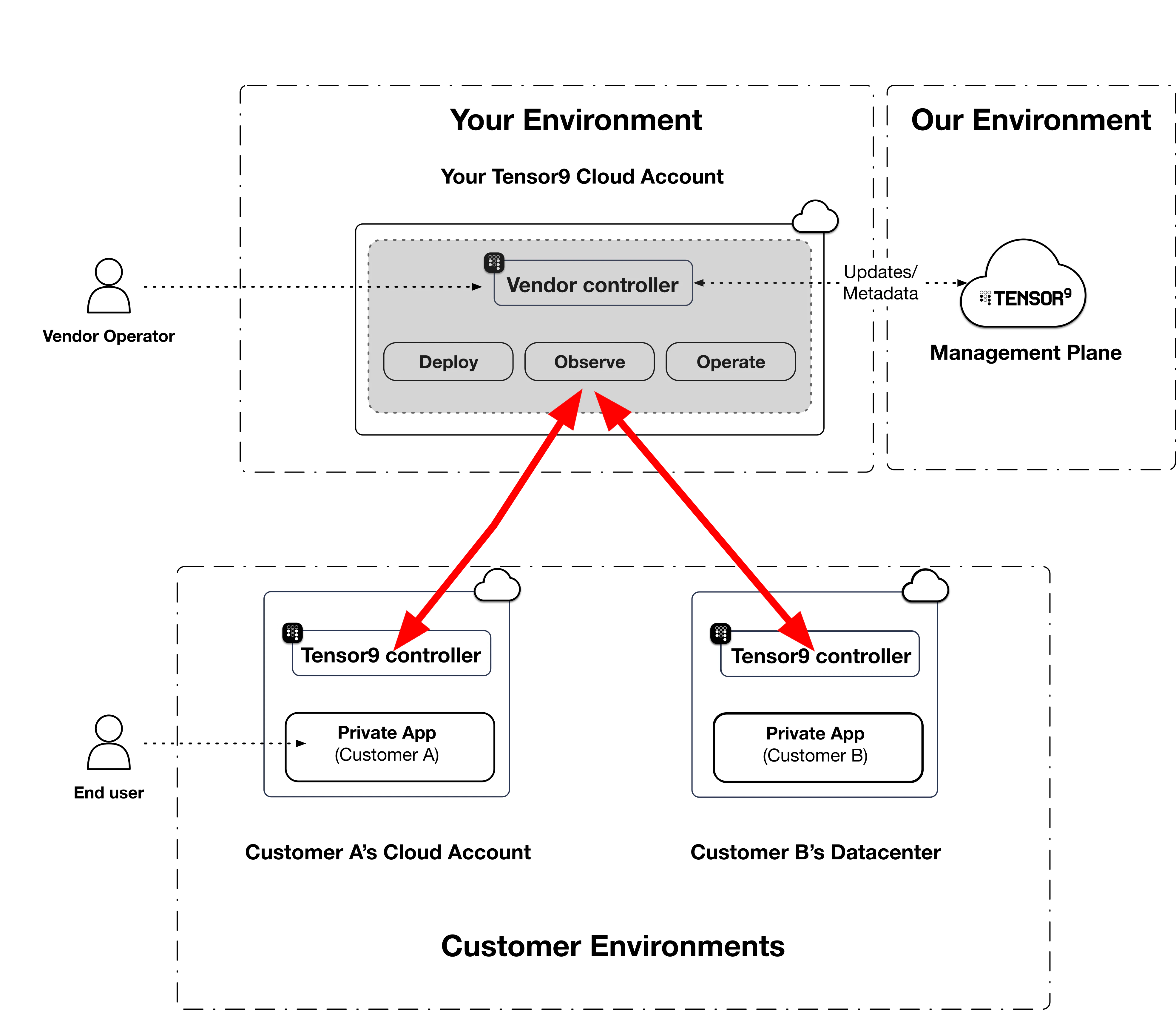
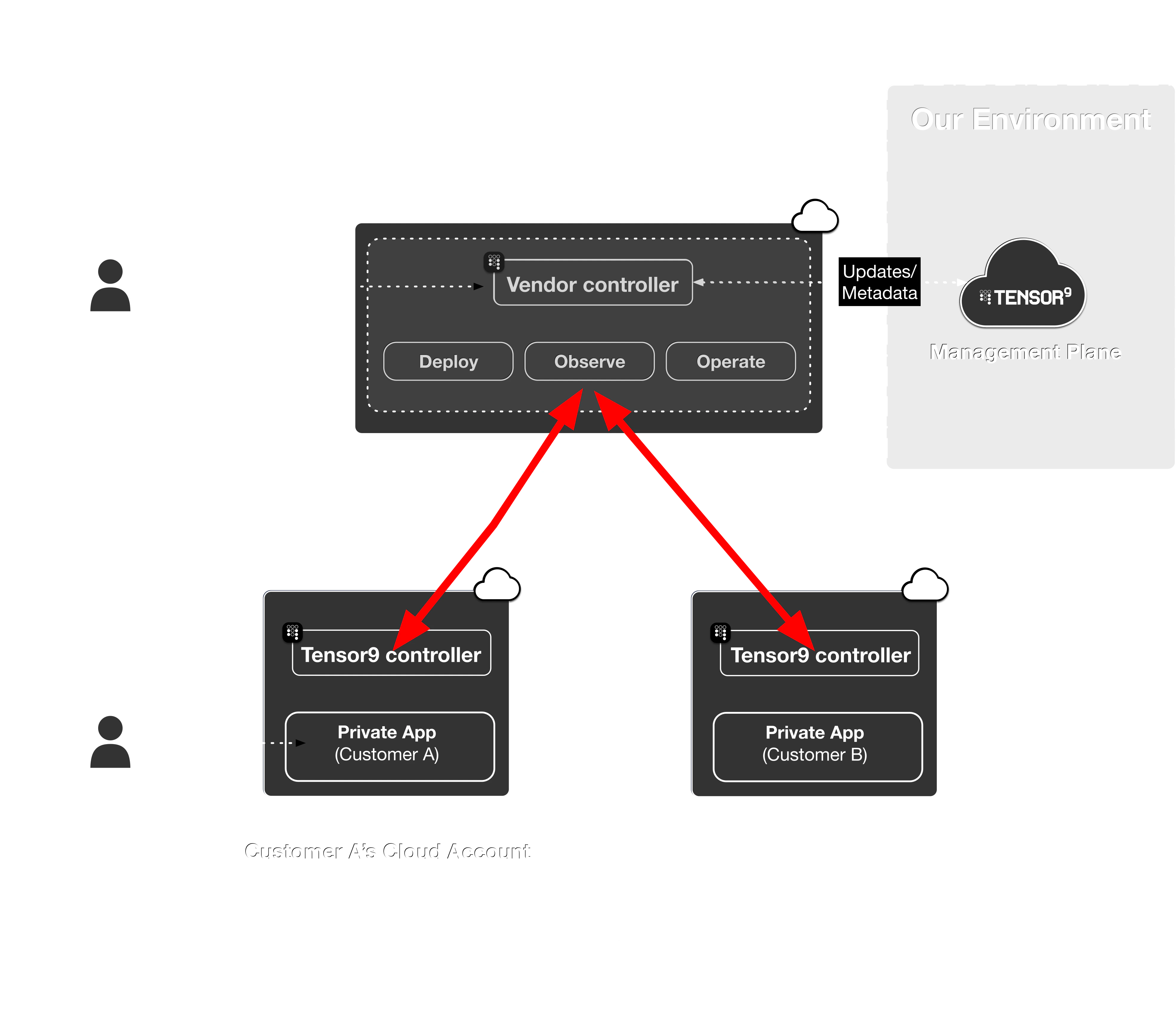 Every customer appliance establishes an outbound, mutually-authenticated connection from its on-prem controller back to your vendor control plane. This connection is the channel for deploy instructions and [operations](/fundamentals/operations) commands. It is always initiated from the customer side; the customer's environment never accepts inbound connections from yours. See the [customer security model](/customer/security/security-model#no-inbound-network-access) for the underlying handshake, and [Connection Security](/fundamentals/connection-security) for the mTLS trust model.
Telemetry (logs, metrics, traces) also flows from the appliance back to your control plane, but over a separate stream rather than this connection. See [Observability](/fundamentals/observability).
The connection itself is the same regardless of the network path. The available network paths today are:
| Network path | Where it works | What it requires |
| ------------------------------- | ---------------------------------------------------------------- | ------------------------------------------------------------------------------------- |
| **Public internet** | Any combination of vendor and customer environments | Outbound HTTPS from the customer environment |
| **AWS PrivateLink** | Vendor control plane and customer environment are both on AWS | Vendor opts in at setup; cross-region attachments supported |
| **Tailscale (vendor-provided)** | Any environment where the customer's appliance can run Tailscale | Vendor-supplied tailnet that both the control plane and the customer's appliance join |
You select which paths a form factor permits when you author it; the customer (or you, when generating an appliance-setup link) then picks one of the permitted paths for each appliance. See the [AWS form factor](/form-factor/aws#controller-connectivity) page for how the choice is exposed for AWS.
### Vendor-provided Tailscale (`TailscaleVendor`)
The vendor operates a tailnet. Both the vendor's control plane and each enrolled customer appliance join it. The appliance-to-control-plane handshake then travels the tailnet instead of the public internet or PrivateLink.
This is particularly useful for:
* Test appliances and other vendor-operated environments where you want all appliance-to-control-plane traffic on a single private network you control.
* Customer environments that allow outbound Tailscale but prefer not to expose direct internet egress to the vendor control plane's public listener.
Enrollment is operator-supplied: when you create an appliance-setup link with a `TailscaleVendor`-permitted form factor, you provide the buyer's pre-auth key, and the customer's appliance uses it at boot to join your tailnet.
### Customer-provided tailnets
A symmetric variant where the appliance joins the customer's tailnet via `tsnet` and the vendor control plane reaches into it is not yet available. Contact us if this would unblock a deployment; we'd be interested to talk through specifics.
## Break-glass emergency access
Every customer appliance establishes an outbound, mutually-authenticated connection from its on-prem controller back to your vendor control plane. This connection is the channel for deploy instructions and [operations](/fundamentals/operations) commands. It is always initiated from the customer side; the customer's environment never accepts inbound connections from yours. See the [customer security model](/customer/security/security-model#no-inbound-network-access) for the underlying handshake, and [Connection Security](/fundamentals/connection-security) for the mTLS trust model.
Telemetry (logs, metrics, traces) also flows from the appliance back to your control plane, but over a separate stream rather than this connection. See [Observability](/fundamentals/observability).
The connection itself is the same regardless of the network path. The available network paths today are:
| Network path | Where it works | What it requires |
| ------------------------------- | ---------------------------------------------------------------- | ------------------------------------------------------------------------------------- |
| **Public internet** | Any combination of vendor and customer environments | Outbound HTTPS from the customer environment |
| **AWS PrivateLink** | Vendor control plane and customer environment are both on AWS | Vendor opts in at setup; cross-region attachments supported |
| **Tailscale (vendor-provided)** | Any environment where the customer's appliance can run Tailscale | Vendor-supplied tailnet that both the control plane and the customer's appliance join |
You select which paths a form factor permits when you author it; the customer (or you, when generating an appliance-setup link) then picks one of the permitted paths for each appliance. See the [AWS form factor](/form-factor/aws#controller-connectivity) page for how the choice is exposed for AWS.
### Vendor-provided Tailscale (`TailscaleVendor`)
The vendor operates a tailnet. Both the vendor's control plane and each enrolled customer appliance join it. The appliance-to-control-plane handshake then travels the tailnet instead of the public internet or PrivateLink.
This is particularly useful for:
* Test appliances and other vendor-operated environments where you want all appliance-to-control-plane traffic on a single private network you control.
* Customer environments that allow outbound Tailscale but prefer not to expose direct internet egress to the vendor control plane's public listener.
Enrollment is operator-supplied: when you create an appliance-setup link with a `TailscaleVendor`-permitted form factor, you provide the buyer's pre-auth key, and the customer's appliance uses it at boot to join your tailnet.
### Customer-provided tailnets
A symmetric variant where the appliance joins the customer's tailnet via `tsnet` and the vendor control plane reaches into it is not yet available. Contact us if this would unblock a deployment; we'd be interested to talk through specifics.
## Break-glass emergency access
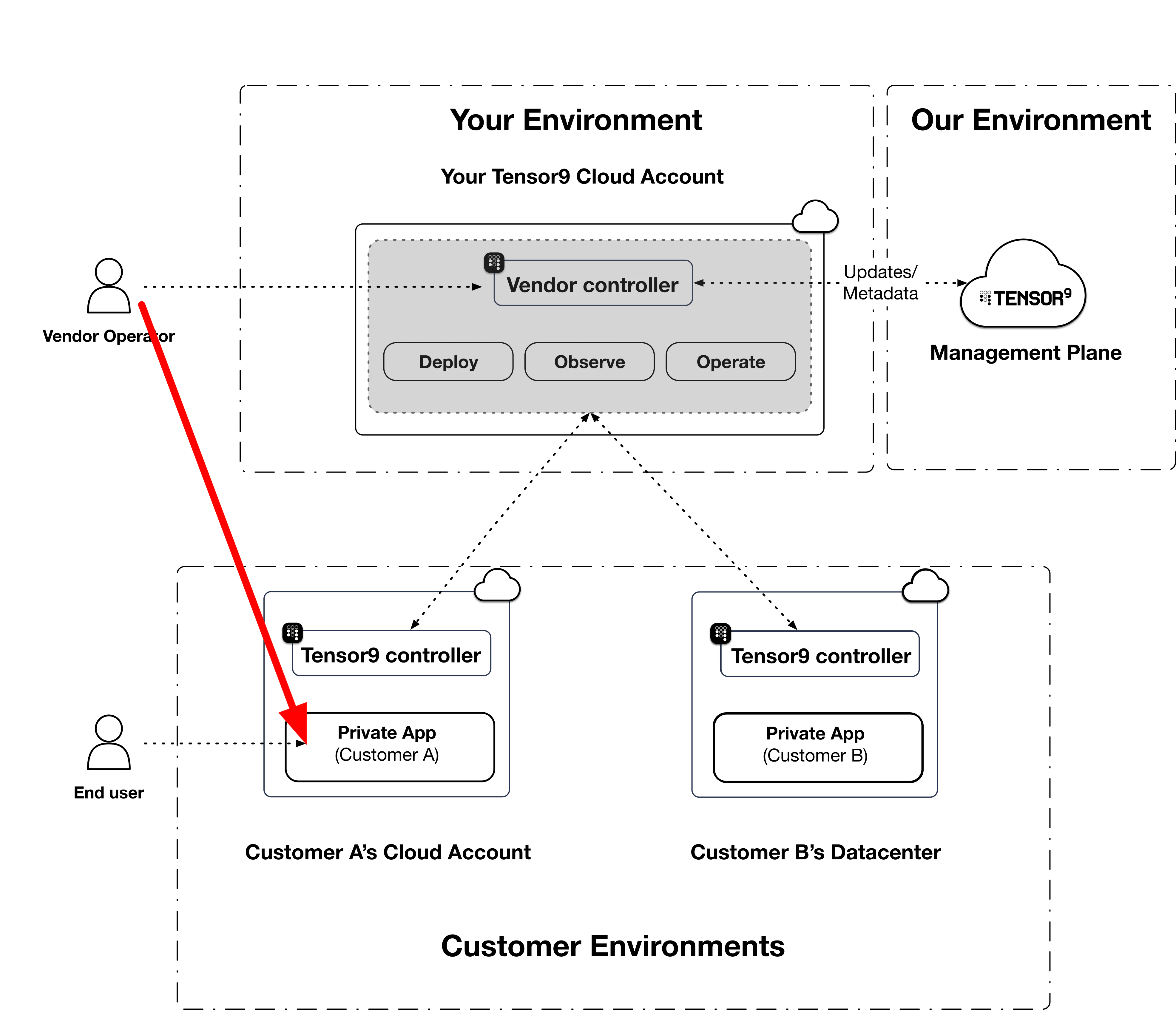
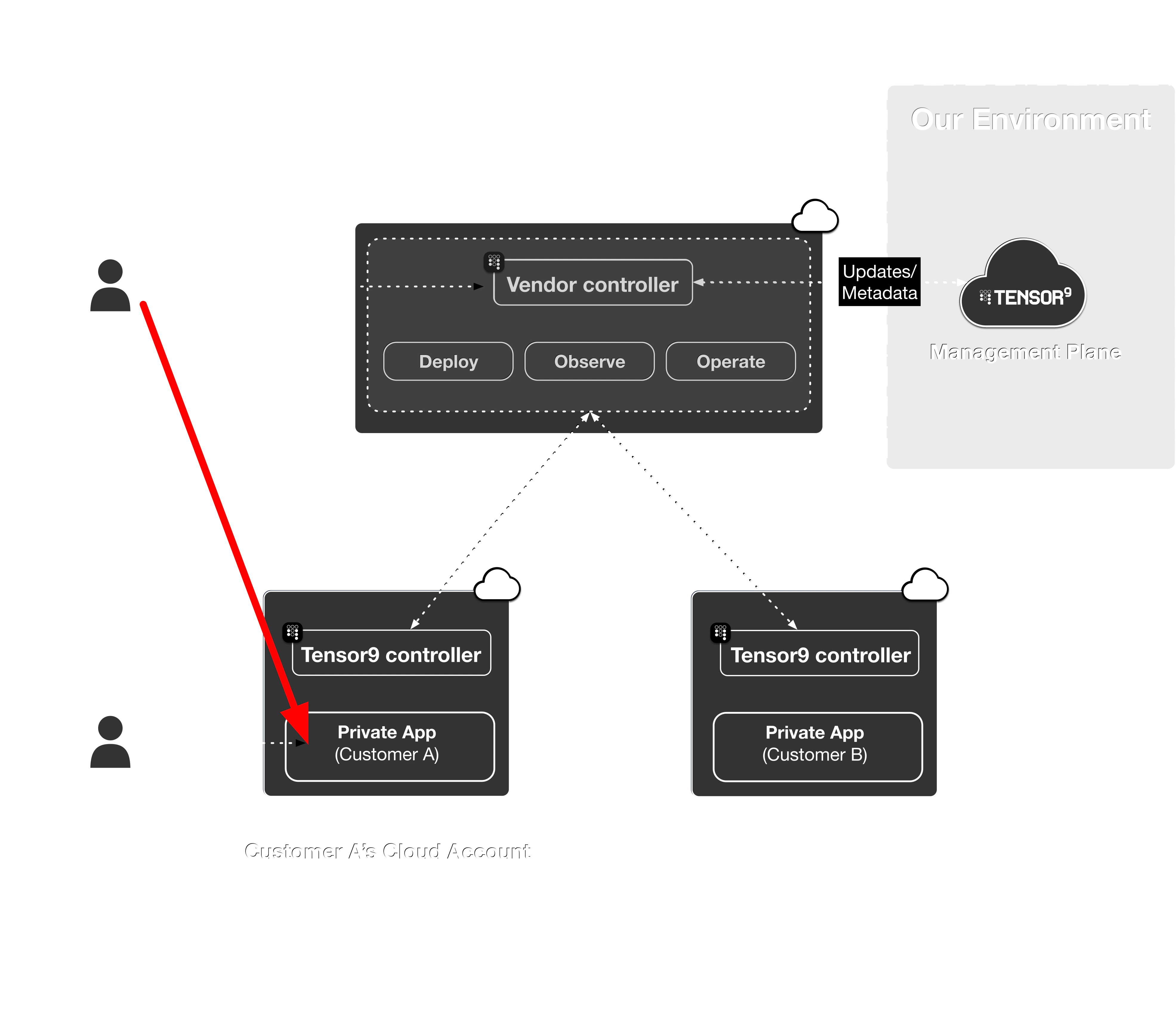 In rare situations a vendor operator needs to reach further into the customer environment than the standing operations channel allows: a live incident, an application failure, or a customer-requested deep-debug session. Tensor9 supports time-limited, audited break glass for these cases. The operator requests access to one resource, the customer cryptographically approves it, a short-lived credential (and, for a private target, a temporary network path) is provisioned for the session, and everything is torn down and logged when the session ends.
Break-glass is intentionally separate from all other connectivity links defined: it is reserved for situations that the standing channels are not designed to cover, and it carries stricter approval and audit requirements. See [Break glass](/fundamentals/break-glass) for the full model, the network providers (Direct, Tailscale, Twingate), and the [security model](/fundamentals/break-glass/security).
In rare situations a vendor operator needs to reach further into the customer environment than the standing operations channel allows: a live incident, an application failure, or a customer-requested deep-debug session. Tensor9 supports time-limited, audited break glass for these cases. The operator requests access to one resource, the customer cryptographically approves it, a short-lived credential (and, for a private target, a temporary network path) is provisioned for the session, and everything is torn down and logged when the session ends.
Break-glass is intentionally separate from all other connectivity links defined: it is reserved for situations that the standing channels are not designed to cover, and it carries stricter approval and audit requirements. See [Break glass](/fundamentals/break-glass) for the full model, the network providers (Direct, Tailscale, Twingate), and the [security model](/fundamentals/break-glass/security).