

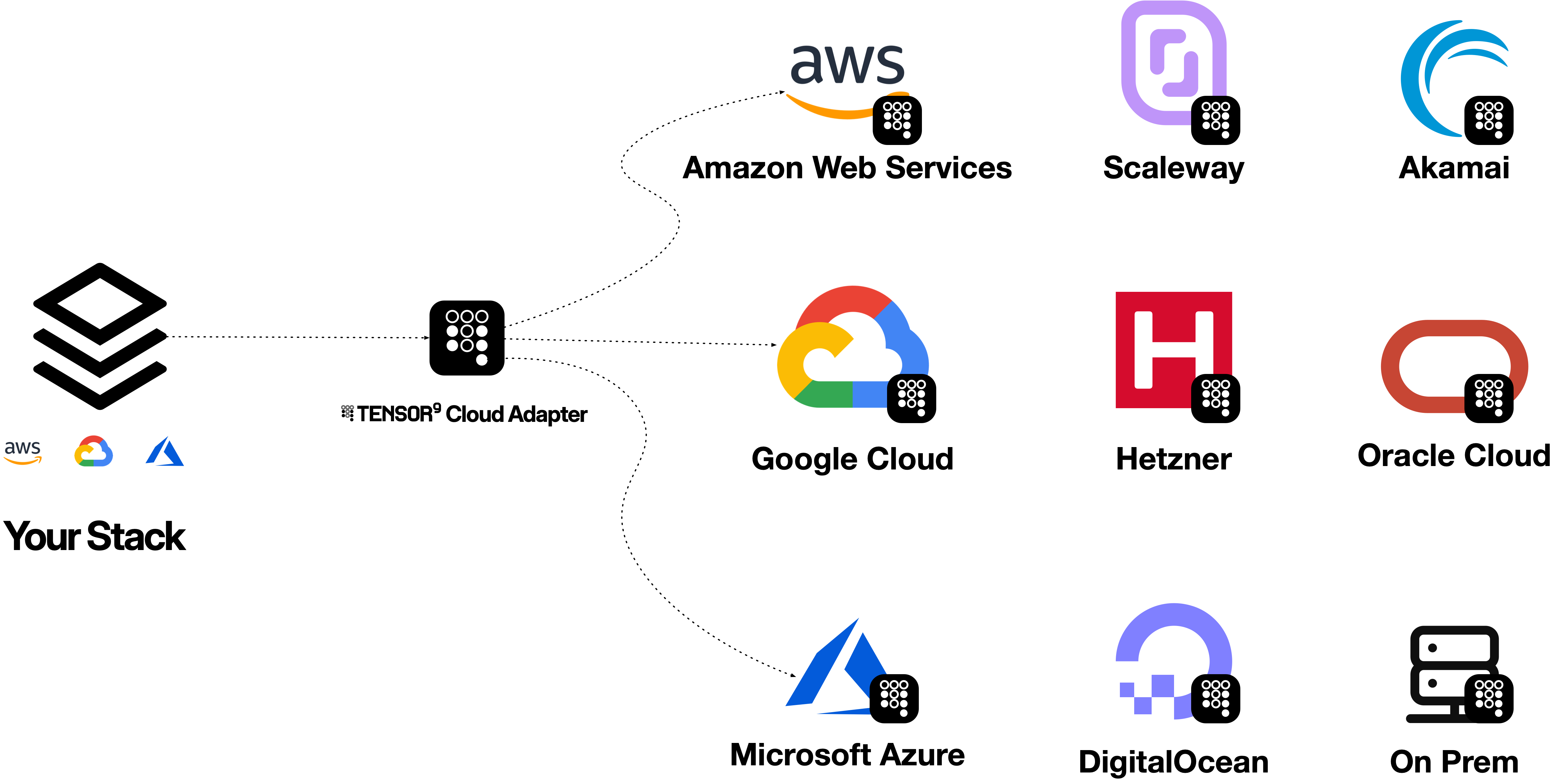
Tensor9 Cloud Adapter connects the cloud APIs your application uses to services in another cloud. A service adapter accepts supported requests, translates them into backend operations, and returns responses in the format your client expects. For example, an application using the Amazon S3 API can store its objects in Google Cloud Storage through an S3 service adapter. The origin API stays familiar; the target service stores the objects.
Tensor9 Cloud Adapter adapts an application's origin-cloud API to services in a destination cloud.Tensor9 Cloud Adapter adapts an application's origin-cloud API to services in a destination cloud.
The diagram shows the adaptation model, not an all-to-all compatibility promise. Coverage is directional and specific to each service, backend and operation. Start with the service reference under each cloud in the sidebar to check your workload.

Start with one service

Choose the origin service your application calls, then a supported backend. Check the operations you actually use, authentication requirements and documented behavioral differences. Protocol compatibility does not imply identical authorization, consistency or limits. Use a single service adapter for a focused integration. A cloud adapter brings multiple service adapters together for one origin-to-target cloud direction, with shared configuration and deployment choices.

Choose a workflow

Use an existing cloud tool

AWS CLI, SDKs, Terraform/OpenTofu, Pulumi and other API clients can use the origin endpoint.

Build a cloud adapter

Prepare configuration, identities and a bounded verification before expanding the workload.
The Guides section starts with the AWS CLI because it makes the request boundary visible. The Getting Started section describes the complete installation journey.

Understand and operate the adaptation

How it works

Follow a request from its origin API to its backend.

Plan your setup

Check coverage and prepare configuration, identity and networking.

Tune behavior

Understand tuning tags, supported target fields and how to measure a change.

Debug a request

Capture response evidence and build a safe reproduction.
Use High Fidelity Cloud Emulators to exercise supported behavior before testing against the real backend. For software delivery into another organization’s infrastructure, see Tensor9 BYOC.