

tensor9 to inspect, acquire or run an adapter, install the CLI and configure T9_API_KEY.
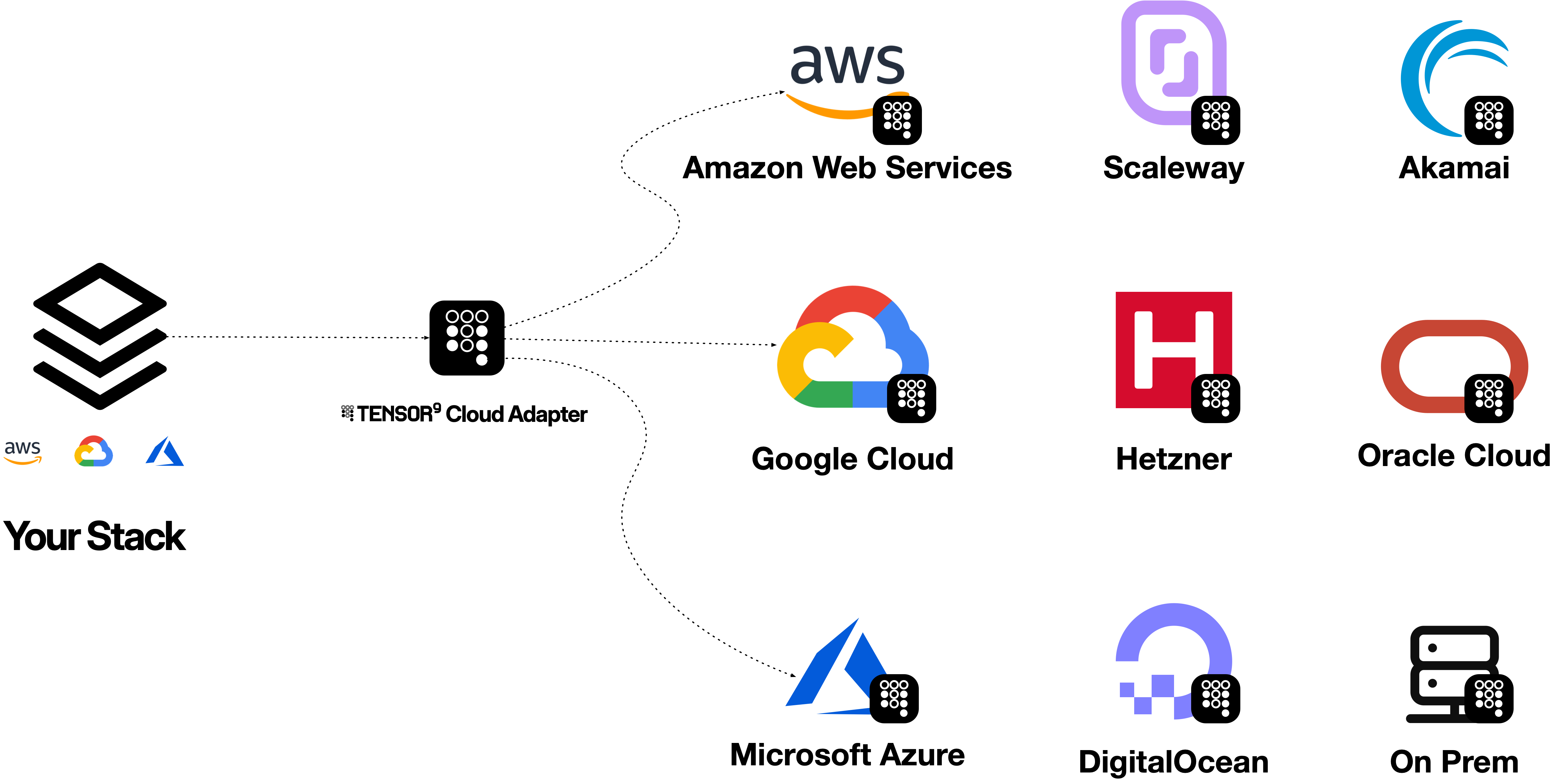
For example, the AWS CLI can send an S3 PutObject request to Cloud Adapter. The adapter serves the S3 API, calls the Google Cloud Storage API, and stores the object in Cloud Storage. The CLI receives an S3-shaped response. The same model works for a supported DynamoDB GetItem: the AWS CLI speaks the DynamoDB API to Cloud Adapter while the adapter reads an item from Azure Cosmos DB.


Try it with the AWS CLI
Once the adapter is running, its endpoint, origin-side credentials and the named target resources are configured, change the CLI’s destination. The command remains an AWS command:GetItem; the adapter reads the mapped Cosmos DB item and returns DynamoDB-typed attributes. The table and key names are illustrative; provision or configure the corresponding resources before trying the command. Check the DynamoDB-to-Cosmos DB profile before relying on a request shape.
To route every command for just one service in a process, set AWS_ENDPOINT_URL_S3 or AWS_ENDPOINT_URL_DYNAMODB to the adapter endpoint instead of repeating --endpoint-url. Do not use a global AWS endpoint override unless every AWS service that process calls is intentionally routed through the adapter. The AWS CLI guide covers credentials, safe verification and both endpoint methods.
The diagram shows the request path, not a promise of complete AWS compatibility. Support is directional and specific to each origin service, target service and operation. One service adapter serves one origin-to-target service pair; a cloud adapter groups service adapters for an origin-to-target cloud direction.
Choose a workflow
Use an existing cloud tool
AWS CLI, SDKs, Terraform/OpenTofu, Pulumi and other API clients can use the origin endpoint.
Authenticate with Tensor9
Install the CLI, verify your customer account and understand adapter entitlements.
Build a cloud adapter
Prepare configuration, identities and a bounded verification before expanding the workload.
Choose a topic
How it works
Follow a request from its origin API to its backend.
Plan your setup
Check coverage and prepare configuration, identity and networking.
Tune behavior
Understand tuning tags, supported target fields and how to measure a change.
Debug a request
Capture response evidence and build a safe reproduction.
Explain adapter behavior
Use tensor9 explain or x-t9-explain to inspect a service profile or covered request.
Worked investigations
Follow request evidence from the origin API through the adapter to the target service.