

Overview
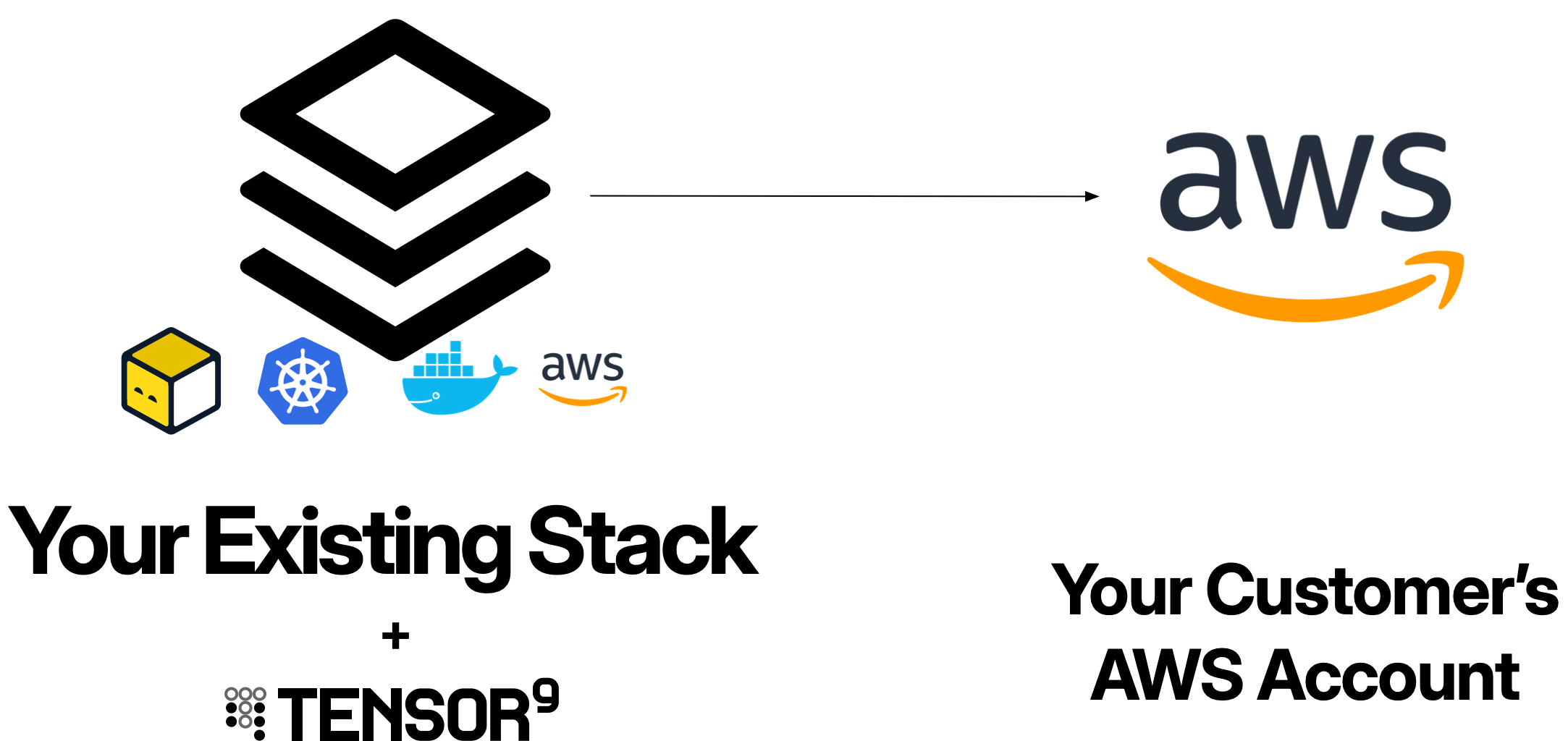
When you deploy an application to AWS customer environments using Tensor9:- Customer appliances run entirely within the customer’s AWS account
- Your control plane orchestrates deployments from your dedicated Tensor9 AWS account
- Cross-account IAM roles enable your control plane to manage customer appliances with customer-approved permissions
- Service equivalents compile your origin stack into AWS-native resources (or preserve them if already AWS-based)
Prerequisites
Before deploying appliances to AWS customer environments, ensure:Your Control Plane
- Dedicated AWS account for your Tensor9 control plane
- Control plane installed - See Installing Tensor9
- Origin stack published - Your application infrastructure defined and uploaded
Customer AWS Account
Your customers must provide:- AWS account where the appliance will be deployed
- IAM roles configured for the four-phase permissions model (Install, Steady-state, Deploy, Operate)
- VPC and networking configured according to their requirements
- Sufficient service quotas for your application’s resource needs
- AWS region where they want the appliance deployed
Your Development Environment
- AWS CLI installed and configured
- Terraform or OpenTofu (if using Terraform origin stacks)
- AWS CloudFormation CLI (if using CloudFormation origin stacks)
- Docker (if deploying container-based applications)
How AWS appliances work
AWS appliances are deployed using AWS-native services orchestrated by your Tensor9 control plane.1
Customer provisions IAM roles
Your customer creates four IAM roles in their AWS account, each corresponding to a permission phase: Install, Steady-state, Deploy, and Operate. These roles define what the Tensor9 controller in the appliance can do within their environment.The customer configures trust policies that allow the Tensor9 controller to assume these roles with appropriate conditions (time windows, approval tags, etc.).
2
You create a release for the customer appliance
You create a release targeting the customer’s appliance:Your control plane compiles your origin stack into a deployment stack tailored for AWS, compiling any non-AWS resources to their AWS service equivalents. The deployment stack downloads to your local environment.
3
Customer grants deploy access
The customer approves the deployment by granting temporary deploy access. This can be manual (updating IAM policy conditions) or automated (scheduled maintenance windows).Once approved, the Tensor9 controller in the appliance can assume the Deploy role in the customer’s account.
4
You deploy the release
You run the deployment locally against the downloaded deployment stack:The deployment stack is configured to route resource creation through the Tensor9 controller inside the customer’s appliance. The controller assumes the Deploy role and creates all infrastructure resources in the customer’s AWS account:
- VPCs, subnets, security groups
- EKS clusters, Lambda functions
- RDS databases, S3 buckets, ElastiCache clusters
- CloudWatch log groups, IAM roles, Route 53 records
- Any other AWS resources defined in your origin stack
5
Steady-state observability begins
After deployment, your control plane uses the Steady-state role to continuously collect observability data (logs, metrics, traces) from the customer’s appliance without requiring additional approvals.This data flows to your observability sink, giving you visibility into appliance health and performance.
Permissions model
AWS appliances use a four-phase IAM permissions model that balances operational capability with customer control.The four permission phases
IAM role structure
Each role is created in the customer’s AWS account with a trust policy that allows the Tensor9 controller in the appliance to assume it. Example: Deploy role with conditional access- The
DeployAccesstag is set to “enabled” - The current time is within the allowed window
- Can read observability data from resources tagged with the appliance’s
instance-id - Cannot modify, delete, or terminate any resources
- Cannot change IAM policies
Deployment workflow with IAM
1
Customer grants deploy access
Customer approves a deployment by setting the
DeployAccess tag to “enabled” and defining a time window. This can be done manually or through automated approval workflows.2
You execute deployment locally
You run the deployment locally against the downloaded deployment stack:The deployment stack is configured to route resource creation through the Tensor9 controller in the appliance.
3
Controller assumes Deploy role and creates resources
For each resource Terraform attempts to create, the Tensor9 controller inside the appliance assumes the Deploy role and creates the resource in the customer’s account.All infrastructure changes occur within the customer’s account using their Deploy role permissions.
4
Deploy access expires
After the time window expires, the Deploy role can no longer be assumed. Your control plane automatically reverts to using only the Steady-state role for observability.
Networking
AWS appliances use an isolated networking architecture with a Tensor9 controller that manages communication with your control plane.Tensor9 controller VPC
When an appliance is deployed, Tensor9 creates an isolated VPC containing the Tensor9 controller. This VPC is configured with:- Internet Gateway: Provides outbound internet connectivity
- Route to control plane: Establishes a secure channel to your Tensor9 control plane
- No ingress ports: The controller VPC does not accept inbound connections - all communication is outbound-only
- Receive deployments: Deployment stacks are pushed from your control plane to the appliance
- Configure observability pipeline: Set up log, metric, and trace forwarding to your observability sink
- Receive operational commands: Execute remote operations initiated from your control plane
Outbound-only security model
The Tensor9 controller in your customer’s appliance is designed to only make outbound connections and not require ingress ports to be opened in your customer’s network perimeter:Controller connectivity
The appliance controller’s outbound channel to your control plane is established over the public internet by default. Two private alternatives are additionally available for AWS form factors:- AWS PrivateLink. Traffic stays on the private AWS backbone instead of traversing the public internet. PrivateLink appears as a form-factor option unless your vendor controller infrastructure setup specifically opted out of AWS PrivateLink (see
vendor setup -noAwsPrivateLinkRdv). - Vendor-provided Tailscale. The appliance joins a tailnet that you operate; the handshake travels the tailnet. The appliance-side join is bootstrapped from a pre-auth key you supply when generating the customer’s setup link.
Application VPC topology
Your application resources run in their own VPC(s), completely separate from the Tensor9 controller VPC. The application VPC topology is defined entirely by your origin stack - whatever VPC resources you define in your origin stack will be deployed into the appliance. Example: Application VPC with internet-facing load balancer If your origin stack defines a VPC with public subnets, an internet gateway, and a load balancer, that exact topology will be created in the customer’s appliance:Resource naming and tagging
All AWS resources should use theinstance_id variable to ensure uniqueness across multiple customer appliances.
Parameterization pattern
Required tags
Tag all resources withinstance-id to enable permissions scoping and observability:
instance-id tag:
- Enables IAM condition keys to scope permissions to specific appliances
- Allows CloudWatch filters to isolate telemetry by appliance
- Helps customers track costs per appliance
- Facilitates resource discovery by Tensor9 controllers
Observability
AWS appliances provide comprehensive observability through CloudWatch, X-Ray, and CloudTrail.CloudWatch Logs
Application and infrastructure logs flow to CloudWatch Log Groups:CloudWatch Metrics
Infrastructure metrics are automatically collected:- RDS: Database connections, query latency, storage usage
- Lambda: Invocations, duration, errors, throttles
- EKS: Node CPU/memory, pod counts, API server metrics
- ALB: Request counts, latency, HTTP status codes
AWS X-Ray
Enable distributed tracing for Lambda and containerized applications:CloudTrail auditing
All API calls within the customer’s AWS account are logged to CloudTrail, providing a complete audit trail of what your control plane does:- Role assumptions (when Deploy or Operate roles are assumed)
- Resource creation, modification, deletion
- Permission denials
- Configuration changes
Artifacts
AWS appliances automatically provision private artifact repositories to store container images and application files deployed by your deployment stacks.Container images (Amazon ECR)
When you deploy an appliance, Tensor9 automatically provisions a private ECR repository in the customer’s AWS account to store your container images. Example: Origin stack with ECS service Your origin stack references container images from your vendor ECR repository:- Detects the container image reference in your ECS task definition
- Provisions a private ECR repository in the appliance (e.g.,
987654321098.dkr.ecr.us-east-1.amazonaws.com/myapp-api-000000007e) - Copies the container image from your vendor ECR (
123456789012.dkr.ecr.us-west-2.amazonaws.com/myapp-api:1.0.0) to the appliance’s private ECR - Rewrites the deployment stack to reference the appliance-local ECR repository
- Deploy (tofu apply): Tensor9 copies the container image from your vendor ECR to the appliance’s private ECR
- Destroy (tofu destroy): Deleting the deployment stack also deletes the copied container artifact from the appliance’s private ECR
Lambda deployment packages (S3)
For Lambda functions, Tensor9 supports copying Lambda deployment packages (zip files) from S3. This follows the same copy pattern as container images:- Provisions a private S3 bucket in the appliance for Lambda artifacts
- Copies the Lambda zip file from your vendor S3 bucket to the appliance’s S3 bucket
- Rewrites the Lambda function definition to reference the appliance-local S3 bucket
Secrets management
Store secrets in AWS Secrets Manager or AWS Systems Manager Parameter Store, then pass them to your application as environment variables.Secret naming and injection
Always use parameterized secret names and inject them as environment variables:Pass secrets as environment variables rather than using runtime SDK calls. While
boto3.client('secretsmanager').get_secret_value() works natively in AWS appliances, using environment variables ensures your application works consistently across all deployment targets (AWS, Google Cloud, DigitalOcean).Operations
Perform remote operations on AWS appliances using the Operate role.kubectl on EKS
Execute kubectl commands against EKS clusters:AWS CLI operations
Execute AWS CLI commands:Database queries
Execute SQL queries against RDS databases:Operations endpoints
Create temporary operations endpoints for interactive access:Example: Complete AWS appliance
Here’s a complete example of a Terraform origin stack for an AWS appliance:main.tf
variables.tf
outputs.tf
Best practices
Use instance_id for all resource names
Use instance_id for all resource names
Every AWS resource with a name or identifier should include
${var.instance_id} to prevent conflicts across customer appliances:Tag all resources with instance-id
Tag all resources with instance-id
Apply the This enables:
instance-id tag to every resource:- IAM permission scoping
- CloudWatch filtering
- Cost tracking
- Resource discovery
Enable CloudWatch Logs for all services
Enable CloudWatch Logs for all services
Configure logging for Lambda, EKS, RDS, and other services:This ensures observability data flows to your control plane.
Use AWS Secrets Manager for sensitive data
Use AWS Secrets Manager for sensitive data
Never hardcode secrets. Use Secrets Manager with parameterized names and pass them to your application as environment variables:Pass secrets as environment variables rather than using runtime SDK calls to ensure consistency across all deployment targets.
Troubleshooting
Deployment fails with IAM permissions errors
Deployment fails with IAM permissions errors
Symptom: Terraform apply fails with “AccessDenied” or “UnauthorizedOperation” errors.Solutions:
- Verify the Tensor9 controller has successfully assumed the Deploy role
- Check the Deploy role’s IAM policy includes necessary permissions for the resources being created
- Ensure the trust policy allows the Tensor9 controller to assume it
- Verify the
DeployAccesstag is set and the time window hasn’t expired - Review CloudTrail logs in the customer account to see which specific API call was denied
Resources fail to create due to naming conflicts
Resources fail to create due to naming conflicts
Symptom: “ResourceAlreadyExists” or “BucketAlreadyExists” errors during deployment.Solutions:
- Ensure all resource names include
${var.instance_id} - Verify the
instance_idvariable is being passed correctly - Check that no hardcoded resource names exist in your origin stack
- For S3 buckets, remember they must be globally unique - include both app name and instance_id
Observability data not flowing to control plane
Observability data not flowing to control plane
Symptom: CloudWatch logs and metrics aren’t appearing in your observability sink.Solutions:
- Verify the Steady-state role has permissions to read CloudWatch logs and metrics
- Check that all log groups and resources are tagged with
instance-id - Ensure log group names are parameterized and follow the expected pattern
- Verify CloudWatch log retention is set (logs may be deleted if retention is too short)
- Check that the control plane is successfully assuming the Steady-state role
VPC quota limits exceeded
VPC quota limits exceeded
Symptom: “VpcLimitExceeded” error when creating VPCs.Solutions:
- Ask the customer to request a VPC quota increase from AWS (default is 5 per region)
- Consider deploying appliances in separate AWS regions
- Use existing customer VPCs with dedicated subnets instead of creating new VPCs
- Ask the customer to clean up unused VPCs in their account
RDS storage encryption conflicts
RDS storage encryption conflicts
Symptom: “InvalidParameterCombination” when enabling encryption on RDS instances.Solutions:
- Ensure
storage_encrypted = trueis set when creating the instance - Use a customer-managed KMS key if required by customer policy
- Note that encryption cannot be enabled on existing unencrypted instances - must create new instance
- Verify the Deploy role has KMS permissions if using customer-managed keys
Need help?
Need help?
If you’re experiencing issues not covered here or need additional assistance with AWS deployments, we’re here to help:
- Slack: Join our community Slack workspace for real-time support
- Email: Contact us at [email protected]
Next steps
Now that you understand deploying to AWS customer environments, explore these related topics:- Permissions Model: Deep dive into the four-phase IAM permissions model
- Deployments: Learn how to create releases and deploy to customer appliances
- Operations: Execute remote operations on AWS appliances
- Observability: Set up comprehensive monitoring and logging
- Terraform Origin Stacks: Write Terraform origin stacks optimized for AWS