

Configure your sinks and routing
Set up sinks and routing in the Observe section of the vendor portal (tensor9 portal).
Add a sink
Click Create an observability sink and follow the three-step wizard. The configuration step differs by sink type:- AWS CloudWatch
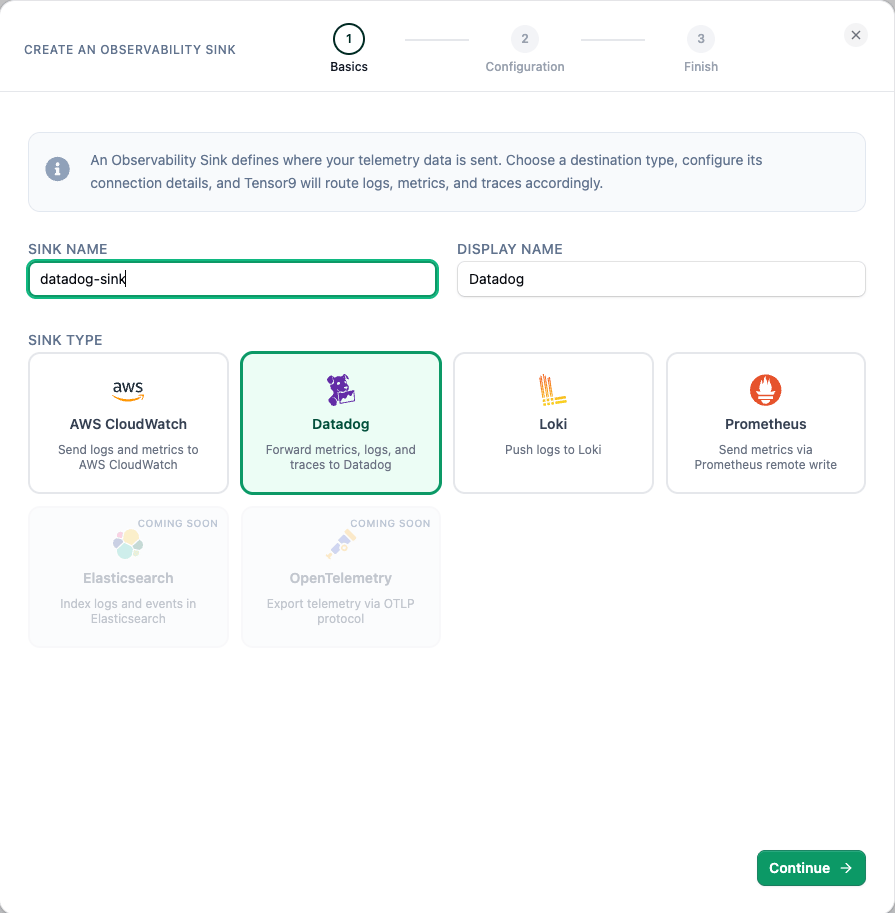
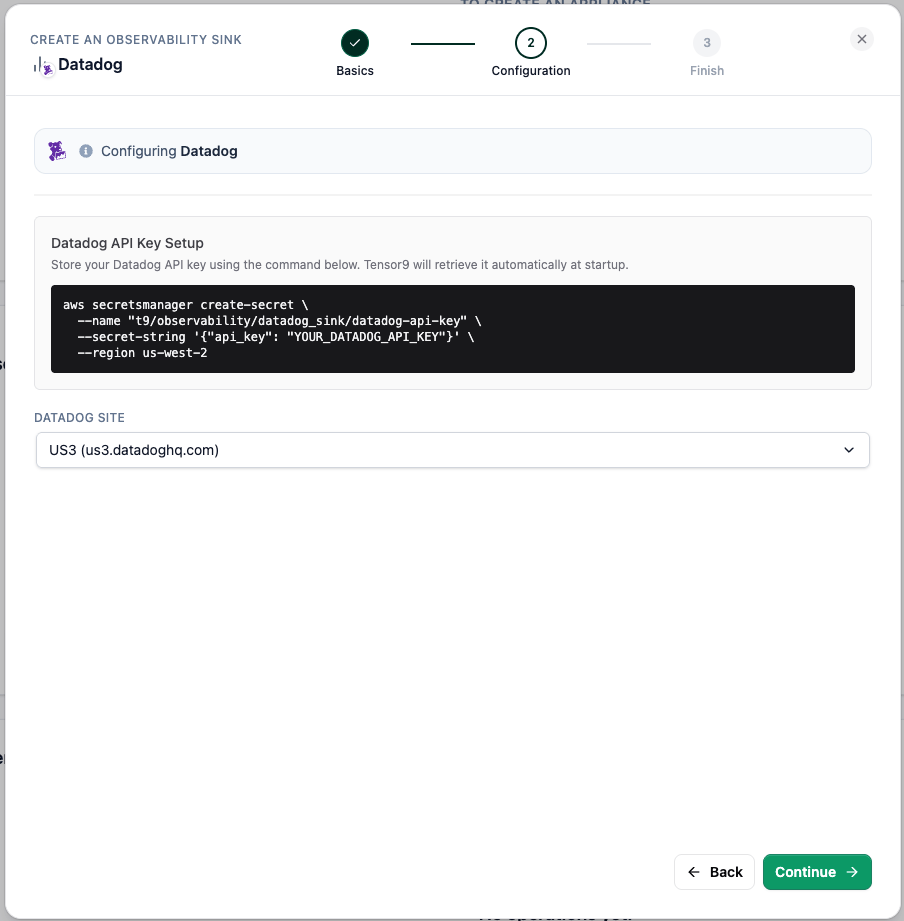
- Datadog
1
Basics
Give the sink a name and display name, then choose AWS CloudWatch as the type. Datadog, Loki, and Prometheus are also available; Elasticsearch and OpenTelemetry are coming soon.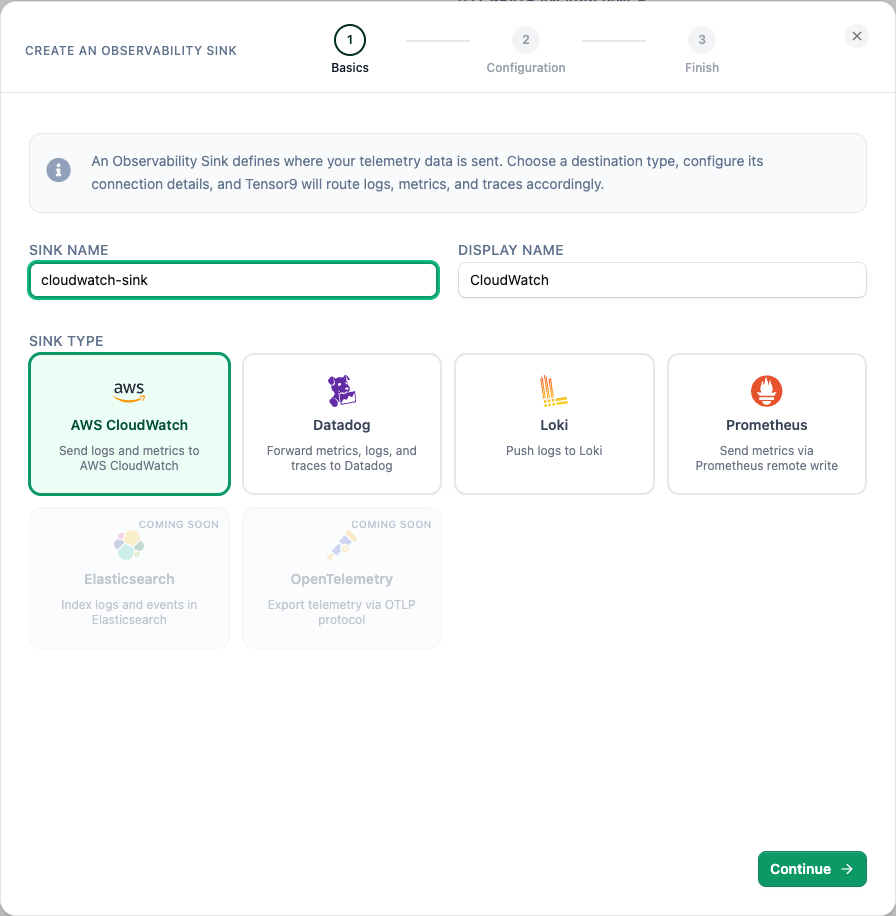
2
Configuration
Pick the region your logs, metrics, and traces are written to in CloudWatch (defaults to your vendor region) and the authentication type. Default Credentials writes to CloudWatch in your Tensor9 account with permissions managed automatically; you can also assume a cross-account role. Optionally add Exclude Dimensions to stay under CloudWatch’s 30-dimension limit and control cost.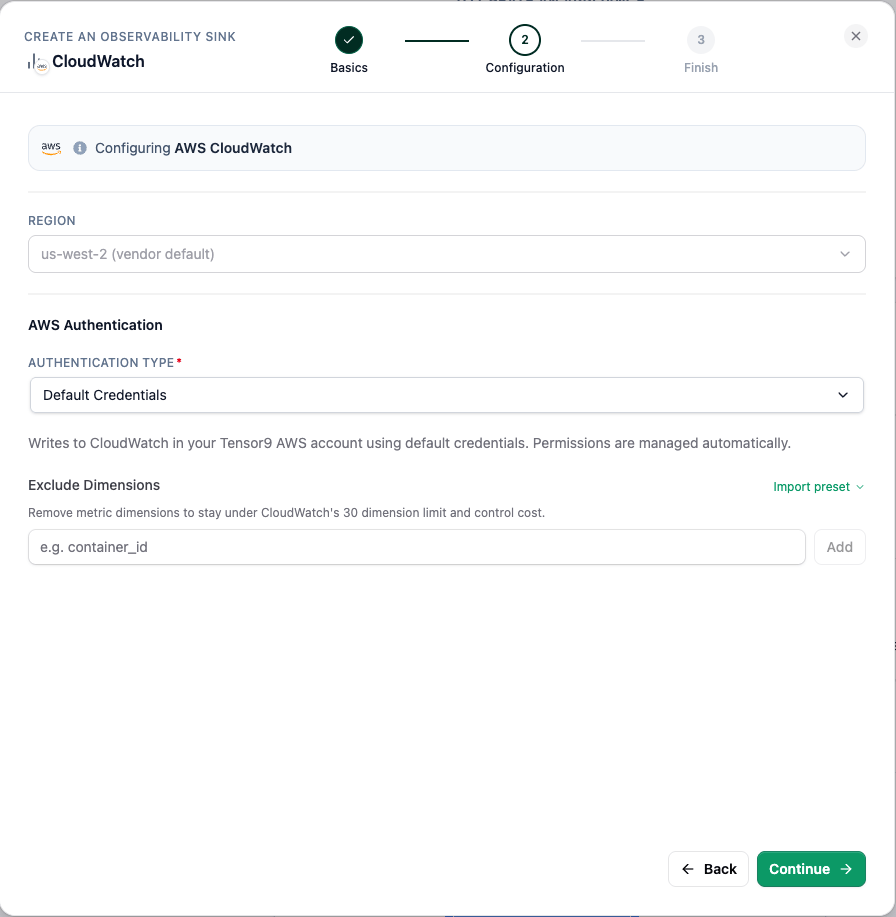
3
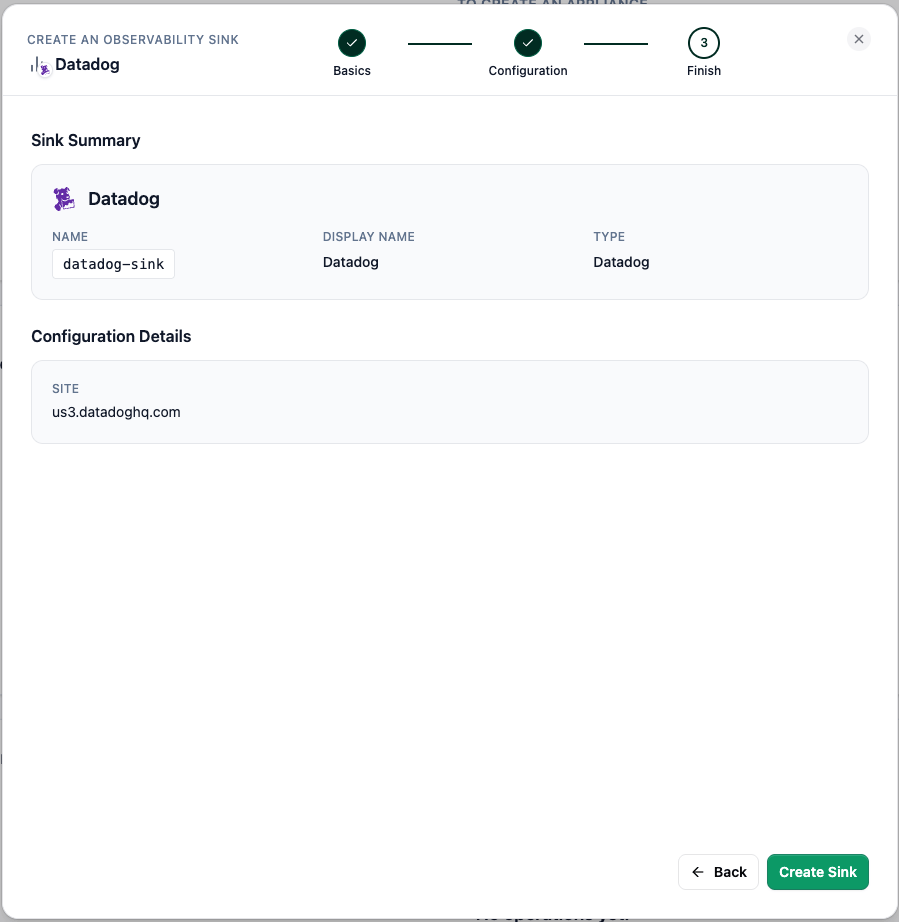
Finish
Review the sink summary and select Create Sink.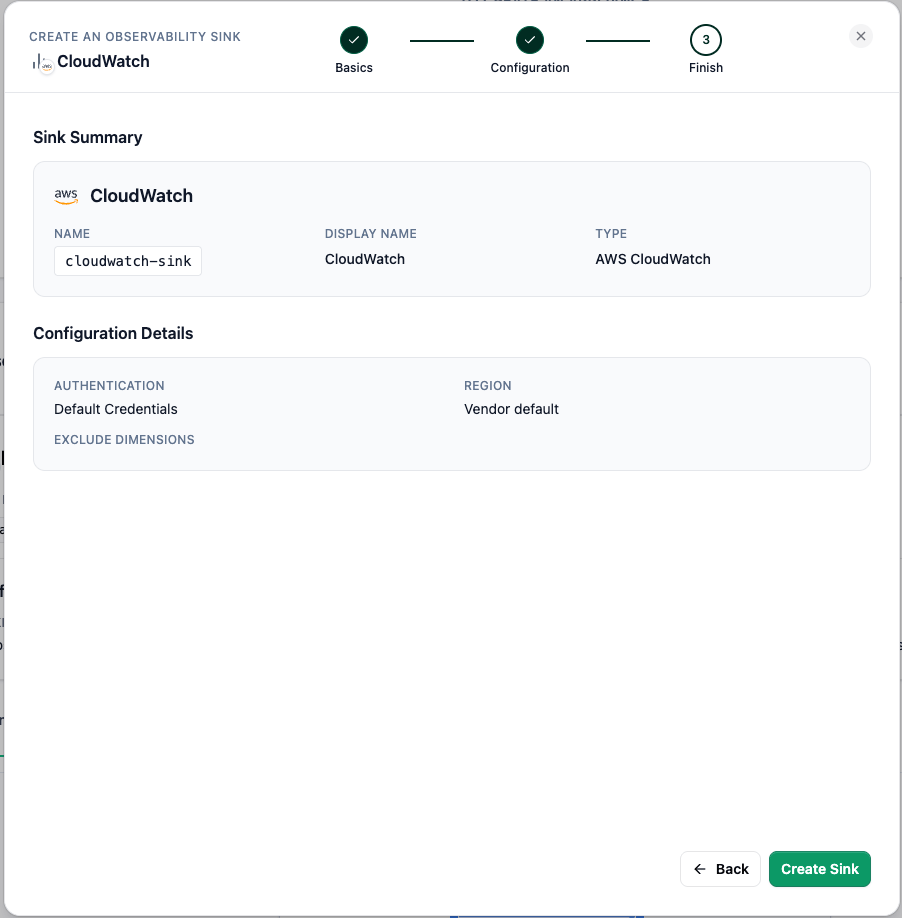
Route your telemetry
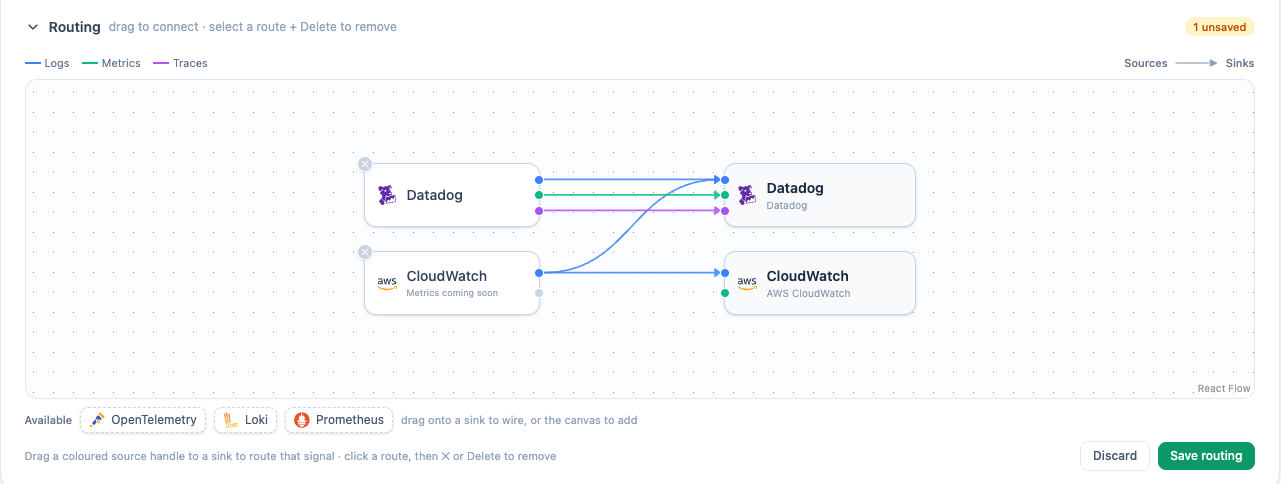
In the Observe section your sinks are listed with the Routing view directly below them. It places your sources on the left and sinks on the right; drag a colored source handle to a sink to route that signal. Connections are color-coded by signal (logs, metrics, and traces), and you can only connect matching signals (a source’s logs to a sink that accepts logs). By default each sink receives only its matching source.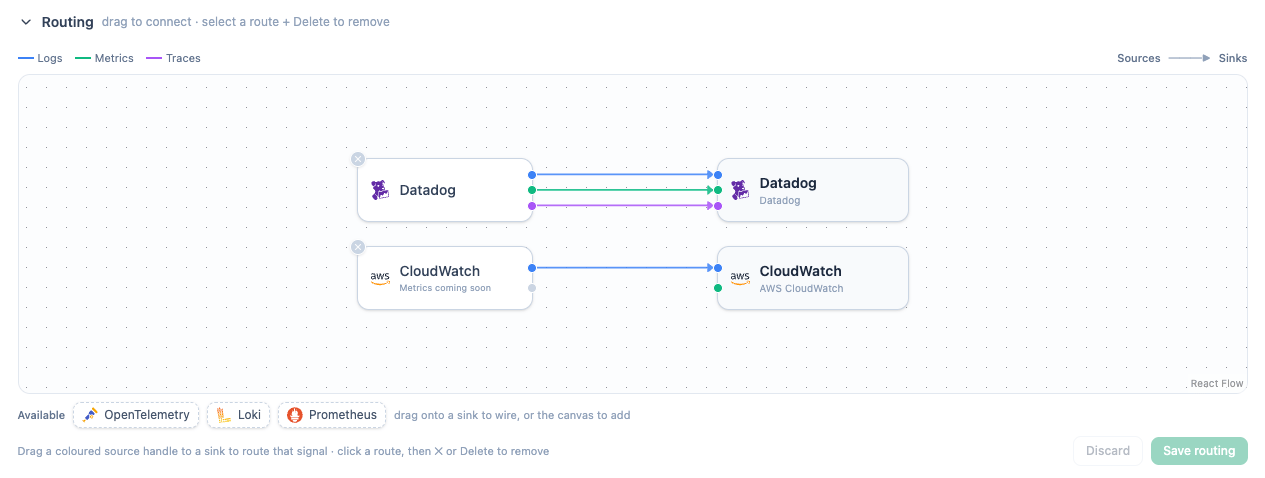
Turn observability on or off
You control observability at two levels: the whole appliance and individual resources within it. Both are managed in the vendor portal, on the appliance’s detail page, and both are orthogonal to routing: these toggles decide whether something is observed, while routing decides which sinks receive which sources once it is.Per appliance
Observability is turned on or off for an entire appliance with a single switch on the appliance’s detail page. This is the master control, and it’s off by default (observability is opt-in per appliance):- Off: nothing is collected from the appliance; no telemetry reaches any sink.
- On: Tensor9 stands up the collection pipeline for that appliance, and its resources begin reporting (subject to the per-resource toggles below).
Per resource
Once an appliance has observability on, you can turn collection on or off for each resource independently (a Lambda function, an ECS service, and so on), each listed with its name and stack alongside a switch. Use this to collect from the resources you care about and leave noisy or high-volume ones off.- On: Tensor9 sets up collection for that resource, and its telemetry flows to your sinks (per your routing).
- Off: collection is removed for that resource, and nothing flows from it. The shared collection pipeline stays in place until the last observed resource is turned off, so toggling one resource never disrupts the others.